
Supplier Data Manager (SDM) supports multiple file formats to accommodate different use cases and data sources. This article details the accepted formats and limits for file uploads into Supplier Data Manager.
Input files
Input files are loaded into Supplier Data Manager for processing. They may originate from suppliers or other systems such as Product Information Management (PIM) and Enterprise Resource Planning (ERP) software.
Supported formats
-
Excel formats:
- .xlsx
- .xlsm
- .xls
- .xlsb
- Text format:
- .csv
- Markup and data interchange formats:
- .xml (including BMEcat and GS1 files — see important considerations below)
- .json
Important considerations
- Single-tab files: SDM can read single-tab files, provided they meet certain conditions.
- Multi-tab files: SDM can also process multi-tab files, but specific conditions must be met.
-
XML input formats:
- Adding a custom input format for your expected XML files is mandatory to upload XML files. See XML Custom Input Formats for details.
- XML data extraction focuses on repeating elements at a single structural level. Cross-referencing data from parent elements, sibling nodes, or different document sections is not currently supported.
- File size limit (applying to all types of files): The maximum file size for manual imports is 50 MB.
- Data volume limit (applying to all types of files): SDM can process up to 800,000 data cells (rows × columns).
- Example: 20 attributes × 40,000 products = 800,000 cells
- Example: 904 attributes × 885 products = 800,000 cells
- Empty cells count toward this limit.
If your file exceeds these limits, consider splitting larger files into smaller segments or optimizing the file to meet requirements.
These limits apply to all supported file formats, including non-tabular ones such as .xml or .json, because all data are internally converted to a tabular structure during processing.
See Specifications for input files for details on single-tab and multi-tab conditions that must be met.
Automatically split files over the data volume limit
This feature is in early access. Reach out to your SDM contact if you're interested in trying it out.
When Automatic file splitting is enabled for your organization, SDM can accept a file containing more than 800,000 data cells and split it by rows into several smaller jobs. Every generated job stays within the data volume limit and keeps all columns from the source file.
The feature can create up to 20 jobs from one file. If more than 20 jobs would be needed, or if automatic splitting is disabled, optimize the file or split it manually before uploading it again.
An organization administrator can enable the feature:
- Open Organization > Team members.
- Select the Settings tab.
- Set Automatic file splitting to Yes.
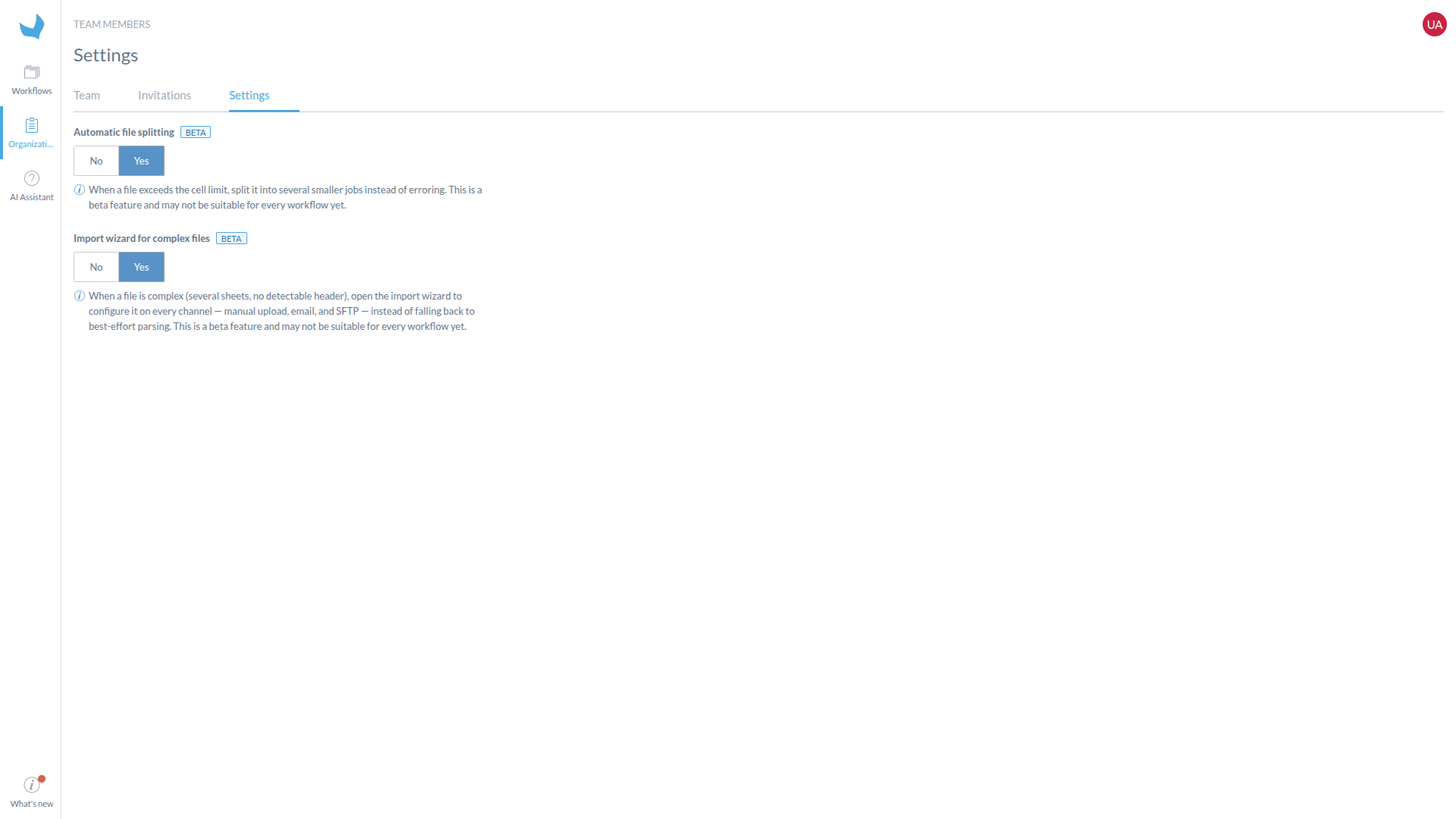
The organization settings show Automatic file splitting enabled.
After the file is parsed, SDM creates jobs named with their position in the group, for example (1/4), (2/4), and so on. The jobs are grouped under the source filename in the job list. Expand the group to monitor and process each job independently.
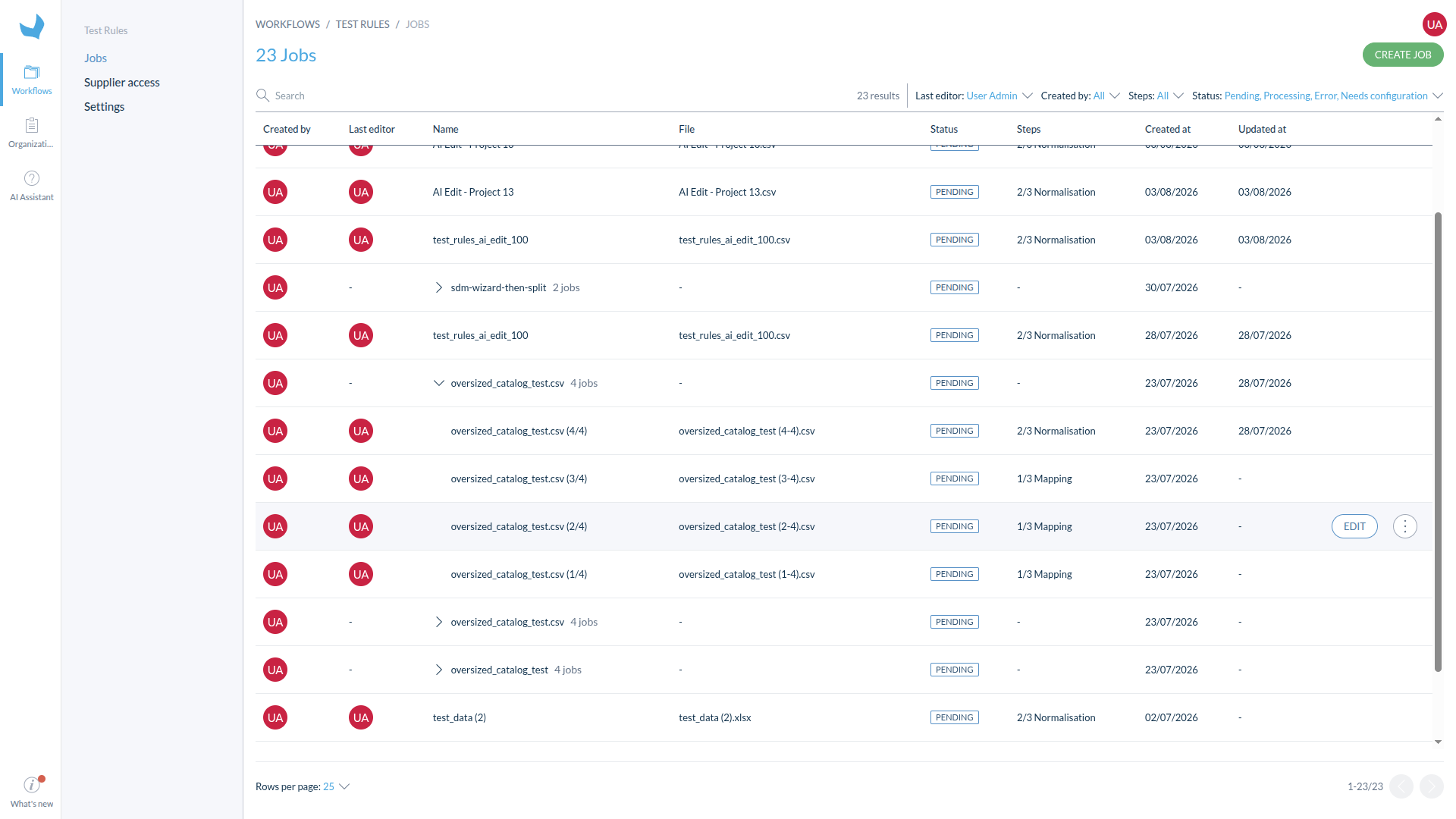
The expanded group shows the four jobs created from the same source file.
The 50 MB upload limit still applies. Automatic splitting addresses the number of data cells only, not the size of the uploaded file.
Unsupported formats
The following file types are not supported as input product files in Supplier Data Manager:
- .doc (Word documents)
- .jpeg (image files)
PDF, doc(x), and image files can be added as attachments.
Supplier Portal file formats
This feature is in early access. Reach out to your Akeneo contact if you're interested in trying it out.
Supplier Portal uploads accept one product file in XLS, XLSX, XLSM, XLSB, CSV, or XML format, up to 50 MB. JSON product files are supported by other Supplier Data Manager inputs but not by the Supplier Portal upload form.
When the assigned SDM project allows media uploads, suppliers can also add PNG, JPG, JPEG, GIF, WebP, or PDF files up to 500 MB each. See Upload product files from a Supplier Portal for the complete upload procedure.