


Restore a product version
Use a previous version to correct unwanted changes to a product. Restoring applies the values from the selected version, so you can return the product to an earlier state.
Package availability: Product version restore is available with the Advanced and Premium packages.
Understand what restore does
When you restore a version, Akeneo applies the product information stored in that version. Values that exist on the current product but are not present in the selected version are cleared.
For example, if a later change added a product image or changed a price, restoring an earlier version returns those values to the state recorded in the selected version.
Restore a version
To restore a product version:
- Go to Products.
- Open the product you want to correct.
- Click History.
- Find the version you want to restore.
- Click Restore on that version.
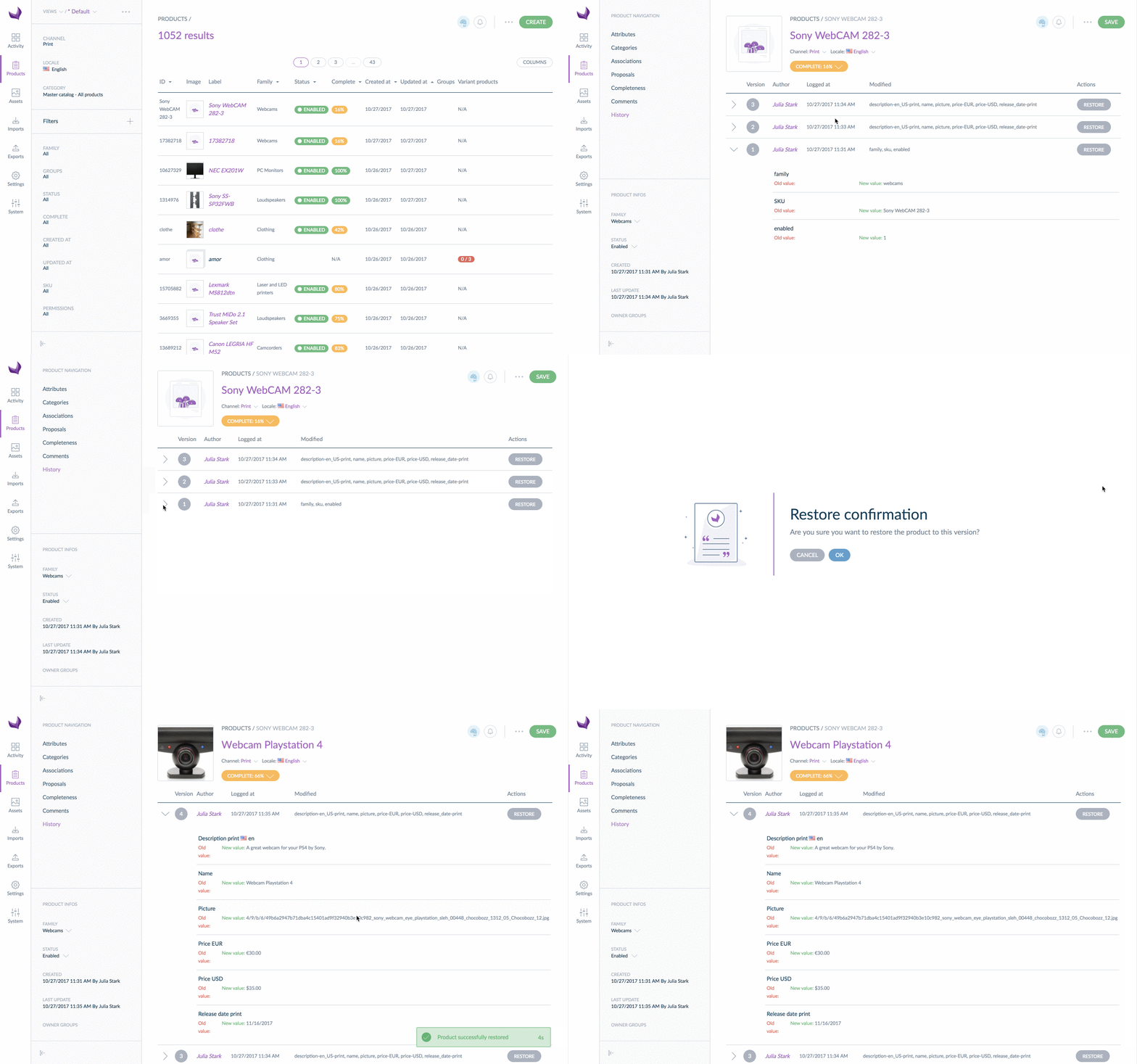
Know the History limits
- You restore one product version at a time.
- Product History displays up to 200 versions from the last 3 years.
You need access to the product History and the Restore action to restore a version.